NT: Install NinjaTrader Software
Once, NinjaTrader files are downloaded, run the installer and follow on screen instructions.
License Key – During the installation process you will be prompted to enter a license key.
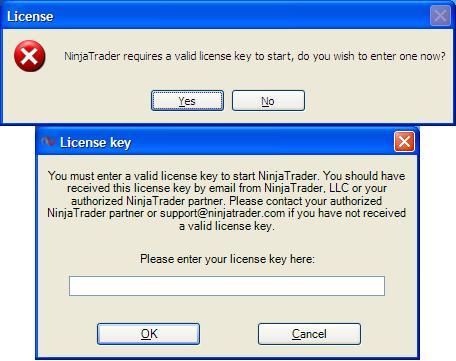
- If you registered to use NinjaTrader for free – A license key is sent within minutes from the time you registered to the email address provided. Please check your junk/spam mail folder if you have not received it. This license key is directly from NinjaTrader and is different than your Apex license key which we will discuss in another tutorial.
- If you purchased NinjaTrader – Your license key is generally sent via email within minutes from the time you completed your purchase to the email address provided. Please check your junk/spam mail folder if you have not received it. In some situations it may take up to 24-hours for a license key to be sent. Again, this license key is directly from NinjaTrader and is different than your Apex license key which we will discuss in another tutorial.
Firewall Software – NinjaTrader contacts our license server on application start up for license key validation. If you have a firewall, spyware or other such software running on your PC, please ensure that you grant NinjaTrader permission to access the internet or you may receive an invalid or license expired message.