Enter The Hotcomm Elite Room
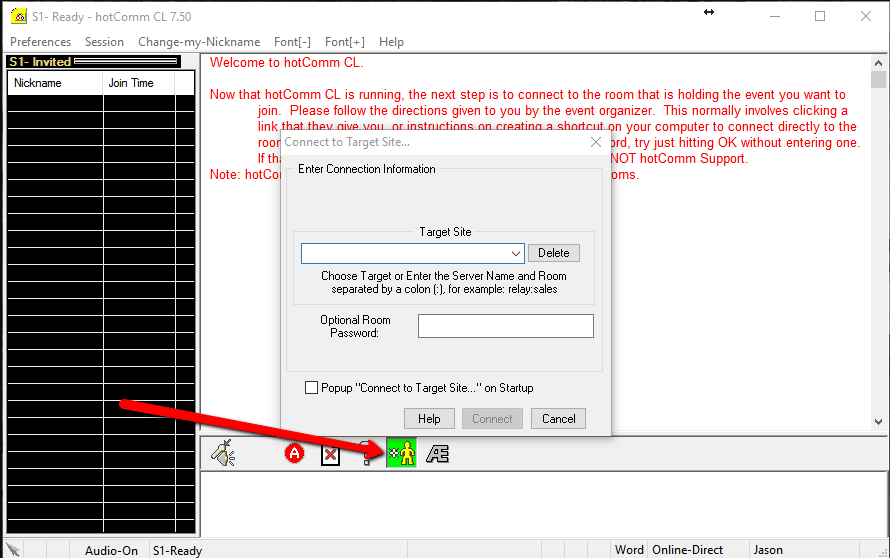
This is how you can manually enter the regular Hotcomm Elite Room:
If you do not already have the Hotcomm application on your desktop, download it from here:
http://www.hotcomm.com/ftppub/hclsetup-750070.exe
1. On your desktop, find the yellow icon called “HotcommCL”. Right click on the desktop icon and select Run as Administrator (or left click as you normally launch apps)
2. After app has fully loaded, click on the yellow/green man on the lower option panel to enter connection information.
and in the target site space type in: apex:ApexInvestingETR
3. In the “Optional Room Password” field area type in the room’s password: apex2017
4. Click the “Connect” button to join the room