How To Update Your Billing Information Or Cancel Your Membership
Modifying your billing information
Maybe your credit card expired, you’ve moved, or you just want your membership tied to a different account. Whatever the reason, you need to alter your billing information, but are unsure of how to do it.
Simply submit a help-desk ticket with us so that we could manually update our billing system as there is nowhere on the site for you to do this. Please make sure to include the following info: Name on card, Card Co. (Visa, MasterCard, American Express, Discover), account number, & expiration date of card. Once this info has been received and the change made in our system we will respond back letting you know and redact the information in the ticket to protect you.
Discontinuing your Apex Investing membership
We understand that things can come up and life can sometimes get in the way, but whatever the reason, you are welcome back to our family whenever you are ready. We have made canceling your membership at Apex Investing easy; simply submit a ticket with our help desk before the next billing cycle and you’re good to go!
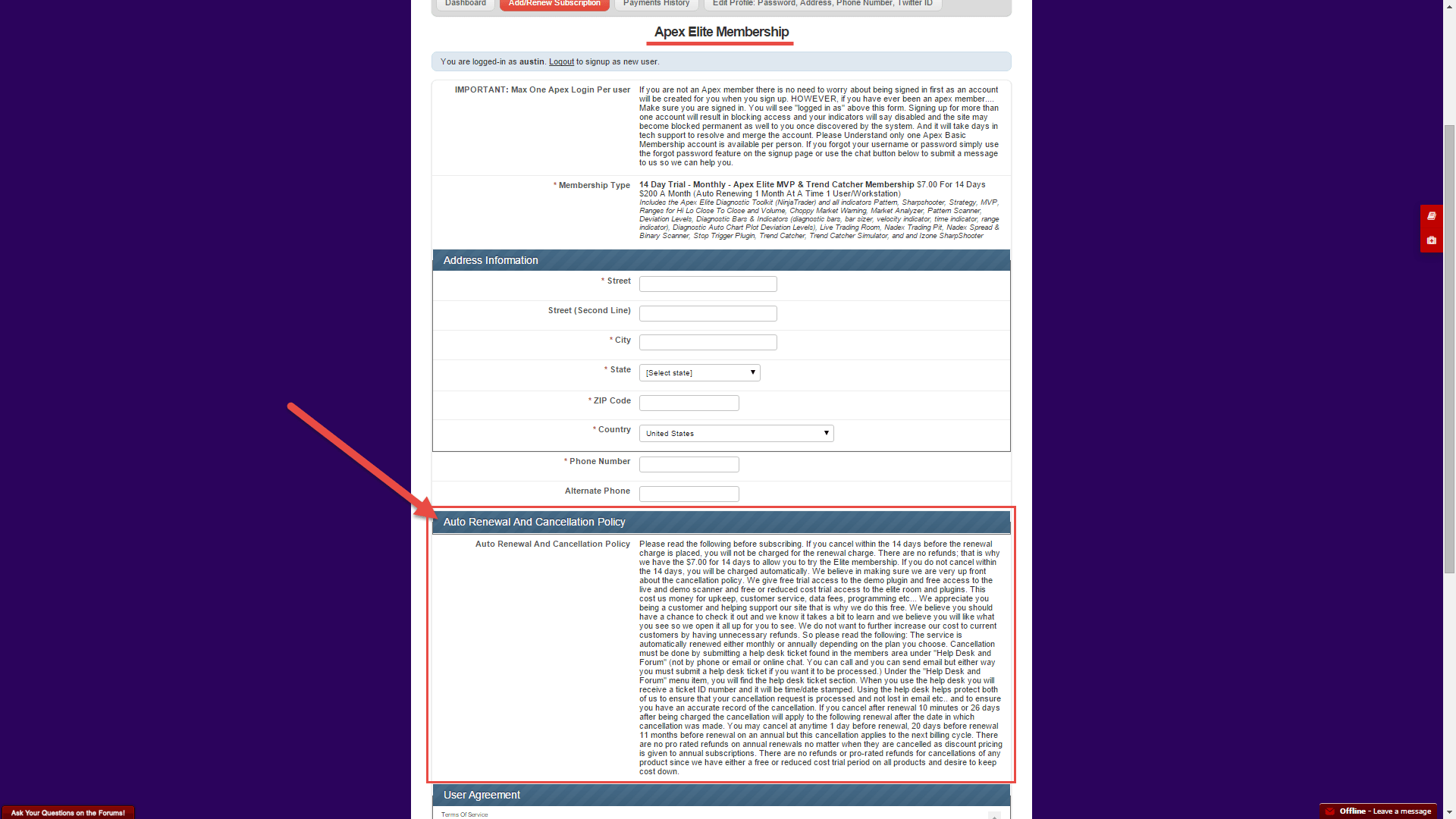
Auto Renewal And Cancellation Policy
(This is the cancellation and renewal policy as stated on the sign up form when you subscribed:)
Please read the following before subscribing. If you cancel within the 14 days before the renewal charge is placed, you will not be charged for the renewal charge. There are no refunds; that is why we have the $7.00 for 14 days to allow you to try the Elite membership. If you do not cancel within the 14 days, you will be charged automatically. We believe in making sure we are very up front about the cancellation policy. We give free trial access to the demo plugin and free access to the live and demo scanner and free or reduced cost trial access to the elite room and plugins. This cost us money for upkeep, customer service, data fees, programming etc… We appreciate you being a customer and helping support our site that is why we do this free. We believe you should have a chance to check it out and we know it takes a bit to learn and we believe you will like what you see so we open it all up for you to see. We do not want to further increase our cost to current customers by having unnecessary refunds. So please read the following: The service is automatically renewed either monthly or annually depending on the plan you choose. Cancellation must be done by submitting a help desk ticket found in the members area under “Help Desk and Forum” (not by phone or email or online chat. You can call and you can send email but either way you must submit a help desk ticket if you want it to be processed.) Under the “Help Desk and Forum” menu item, you will find the help desk ticket section. When you use the help desk you will receive a ticket ID number and it will be time/date stamped. Using the help desk helps protect both of us to ensure that your cancellation request is processed and not lost in email etc.. and to ensure you have an accurate record of the cancellation. If you cancel after renewal 10 minutes or 26 days after being charged the cancellation will apply to the following renewal after the date in which cancellation was made. You may cancel at anytime 1 day before renewal, 20 days before renewal 11 months before renewal on an annual but this cancellation applies to the next billing cycle. There are no pro rated refunds on annual renewals no matter when they are cancelled as discount pricing is given to annual subscriptions. There are no refunds or pro-rated refunds for cancellations of any product since we have either a free or reduced cost trial period on all products and desire to keep cost down.
Cancellation Instructions
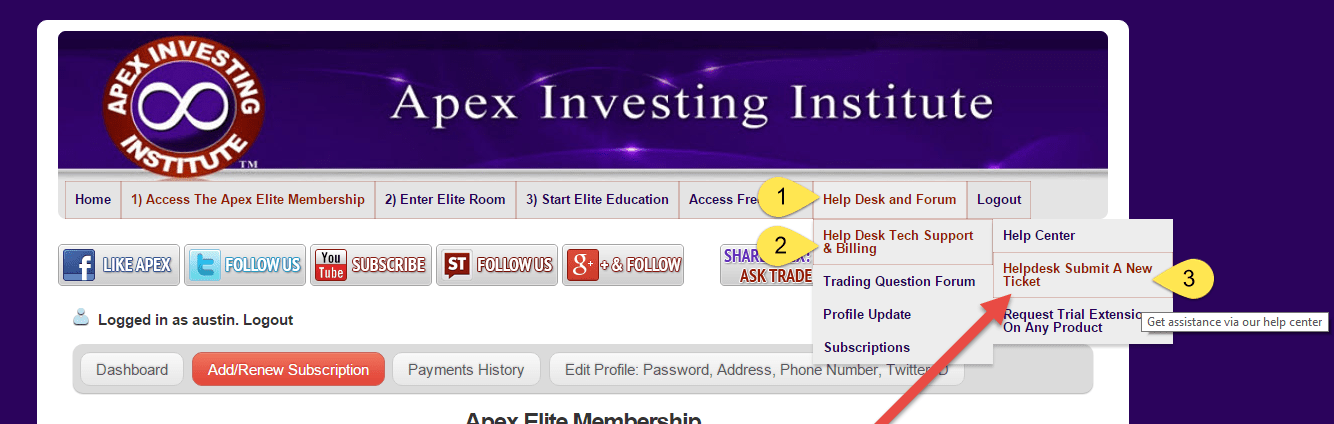
To cancel your membership or trial, you will need to submit a help desk ticket. From the main menu of the website, mouse-hover over “Help Desk and Forum” and “Help Desk Tech Support & Billing”, then click on “Helpdesk Submit A New Ticket”. This will bring you to our Help Center. At the very top of the help Center, you will see a link to “Submit a request”.
After submission, you will receive a time-stamped ticket number and everything will be copied to your email and time stamped, showing your proof of cancellation and that we received your request. You can keep track of your request via the help desk portal or your emails at anytime.
After cancelling your membership, you will still have access to all the paid features until the date of the next billing cycle and may use all of the features until that time.
Phone, email, live chat, and any other forms of cancellation, (for security and policy procedure, and to ensure cancellation requests are processed timely and correctly) are NOT accepted. You must use the Help Desk.
Note: All cancellations apply to the next billing cycle. Keep in mind that there are NO REFUNDS and you will be charged for the next payment cycle if you do not submit a help desk ticket at least 24 hours before your next payment is due, as stated in the “Auto Renewal And Cancellation Policy” that you agreed to when signing up. The full policy is copied at the bottom of this post.