NT: Download and Install Apex One Pattern Software Plugin
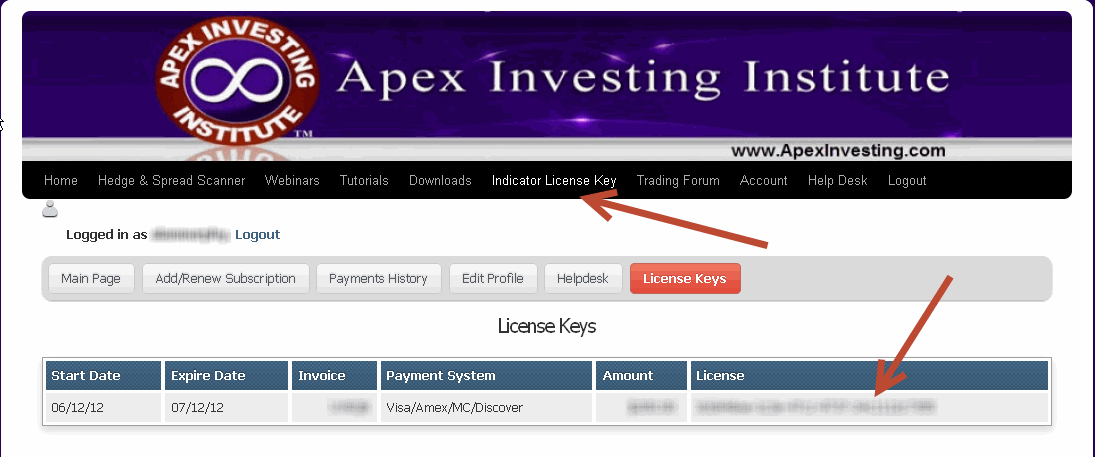
Before starting this tutorial, please log click on the license key menu tab above. Then highlight the license key by clicking on your mouse holding the button and dragging it across. Then right click copy. Make sure there are no spaces before or after. To verify this you can copy and past the key into word or notepad. Then you will paste by simply clicking right click on the mouse and paste when you are prompted to enter the key into the license key field. Again make sure that no spaces are pasted into the popup that request your key
To download Apex software, click on the following link.
Simply right click on a chart. Click on Apex Premium Template No Choppy. You may have to do this 1x for indicators, scanners, and strategies.
Once complete, watch the video.
We use the most current video streaming technology. Though the videos may work on tablets and mobile devices, compatibility is not guaranteed. You may submit a help desk ticket if you are having an issue.
If you are using a PC or a MAC the following two steps need to be done to ensure you are able to view the videos.
1) Recommended. Use the latest internet browser
Latest Google Chrome Browser Download: Click HERE
Other Options:
Latest Firefox Browser Download: Click HERE
Latest Explorer Download: Click HERE to download
If you use Explorer you will not be able to use the auto ticket plugin.
2) Recommended:
Update the following 3 video players
Flash: CLICK HERE TO UPDATE
Windows Media Player: CLICK HERE TO UPDATE
QuickTime: CLICK HERE TO UPDATE